Check out my new blog

Showing posts with label Computer. Show all posts

Sunday, May 1, 2011

The two thousand words picture

As we all know, a picture is worth a thousand word. But how about a picture with more words in it?

Yeah, I talked about PhotoSynthesis before that applies image filters to your pictures. Then I updated it. Or let's say I completely revamped it, the name, the layout, the page, except the filters.

PhotoSynthesis is now called as Potosint. Why? Check the its About page.

The index page is new too. I think it is better looking than before. Check it out here.


The website is still not complete. I will still integrate it to various social networking sites like Facebook, Twitter, and Tumblr for easy picture sharing.

If you think a thousand word for a picture is enough, try Potosint and it will add a thousand more.

Friday, April 29, 2011

PhotoSynthesis?

Ever heard of Instagram? It applies cool filters to your pictures and then share it. It can be shared to various social networking sites like Facebook, Twitter and Tumblr. It is a cool app, but it is still only for iOS.

That exclusivity gives me an idea. I want to create an Instagram like application for personal computers. Therefore, I created PhotoSynthesis. It is a one day chillax (chillax & relax) coding in PHP, scripting language that I still do not know that much.

PhotoSynthesis applies pictures with the preset filters. It is just needs three steps to do.
  1. Upload a photo.
  2. Select a filter.
  3. Save and share.
PhotoSynthesis currently contains ten filters. These filters are Reality, Oldies, Clarysage, Ranee, Bolos, Paolo, Gayi, Hapal, Paulyn, and Shiela. Some of the filters are names or surnames of my friends that gave me three numbers in which I used for the RGB values of the filter.

It is still on construction stage but it is now working and usable. If you want to try, just visit http://photosyn.berdugolabs.com/.

I will blog about PhotoSynthesis again some time with more description about it.

Sunday, January 9, 2011

Rethinking the word "game".

I entered college with a degree in Computer Science not because I want to create games. As a matter of fact, creating or developing games was not in my mind before. I visualized my future as revolutionizing or trailblazing rather than developing games.

But now, as our graduation is only two terms ahead, my plans for the future circulate in developing games. My age increments as my learning in this field also increases. With this learnings, I decided to carry my revolutionizing dream with me and add games into it. Well, it became revolutionizing games.

But why game development?

I define game development as creating a poem in literature. You can create what you want and what you like without any restrictions. It is like creating your own world with your own mind. As I said before, there is no word like impossible in game programming or in game development. That's the reason why.

As of now, I have plans where to start and I also have plans how to do it. I read an advertisement in Taft Avenue in front of DLSU...

"If you fail to plan, you plan to fail."

I don't consider myself as a gamer. I somewhat became addicted in online games during my high school days but I stopped because I know that it is just a waste of time. I play DotA and NBA games once in a very while if my friends invited me to play. I treat gaming as a leisure not as a hobby. I also thought that, "why play games, if I can create my own one?".

If you consider "Snake" running in command prompt as a game, well yeah. It was my first ever game and it has two player mode.

The first ever real game that I considered is Nation Driver. It is somewhat buggy, but it is playable at times.

During my college life, I crossed some path that allows me to create games. Our project Pinoy Henyo is a game too!

Right now, I have a game still in development with a not so weird game play. I will post it if I managed to finish it.

I still do not have that experience in creating games, but I know I have the knowledge to start and learn more. Game development might not be my permanent future, but JPB Games sounds cool right?

Tuesday, September 28, 2010

Ang malaking titik O

At ang kanyang nerd side.

Una kong narinig ang malaking titik O nung ako ay nasa elementarya pa lamang.

"Malaki ang titik O, titik O, titik O."

Kinakanta namin ito sa tono ng "Mary had a Little Lamb" bilang isang ice breaker. Ngunit sa hindi ko inaasahang pag kakataon, ang malaking titik O ay muli kong narinig.

Noong 3rd term ng aking ika-unang taon sa DLSU, sa class na DASALGO ay may topic kaming Big O. Na kapag ay tinagalog ay "Ang malaking titik O".

Ang Big O o ang malaking titik O ay ginagamit sa Computer Science bilang isang representasyon ng performance o kaya naman complexity ng isang algorithm. Ito ay ang worst-case o ang pinakamalala na maabot ng isang algorithm.


Ang malaking titik O pala ay hindi lang isang ice breaker o joke. Ito pala ay may mas komplikadong kahulugan. Actually, sobrang komplikado. Ang mga algorithms ay may Big O. Tulad ng mga sorting algorithms na...

  • Bubble Sort - Big O of n squared. O(n^2)
  • Selection Sort - Big O of n squared. O(n^2)
  • Insertion Sort - Big O of n squared. O(n^2)
  • Merge Sort - Big O of n log n. O(n log n)
Ang malaking titik O ay muli ko nanamang nakakasalamuha ngayon sa CSC755M o Design Structures and Algorithms (not sure kung tama ang pangalan) na subject. At muli nanaman niya kaming pinahihirapan.

Madaling kantahin ang malaking titik O.
Pero sa computer science, pahirap ito.

Sunday, September 19, 2010

Let's play a game of LSB!

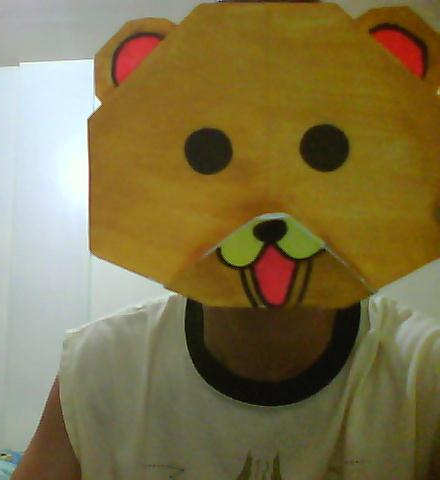
I have here below an image with a text inserted in it. Least Significant Bit or LSB is used to put the text through the image. And it is up to you to know what is it. Can you do it?

So here is the image.

Pedobear

Just save the image and make sure that it has 352kb.

I used our Machine Project for CSC766M or Cryptography to do it. The LSB Insertion algorithm is coded by Kenneth.

As a clue, the image contains the complete lyric of a song. And if you managed to know what song is it, just comment below. Good luck!

Friday, July 30, 2010

Game programming. Anyone?

So you want to take Computer Science. But let me ask you first this question, why? Did you ever ask yourself why will you take that course for college? If not, ask now. Because there are various reasons students choose that course. Some choose it because their parents want it, or it is an in demand in the industry. But one thing stands out among those reasons. They take Computer Science because they want to make a computer game.

Computer games are cool. They are fun to play. And as the year increase, games also increase in quality proportionally. Some games are addictive. People play games as a past time, even though some do not. Students play it too. But some are so imaginative that they want to create their very own game. And they think, that they can do it by taking up Computer Science as their course for college. Little did they know, that they are wrong.

Yes, computer games are programs. And you can learn to program via Computer Science. But that's the problem, THEY ARE PROGRAMS. And if you think programming is easy, think again.

Computer programming is not just typing what you think and let the computer do it for you. You must know what you type and the computer must understand it. You just can not talk Filipino to an American because he will not understand you. You must learn their language and not rely on them to learn yours. Learning programming language is just the first problem you will encounter.

I have a known trivia for you. Do you know that computer science has plenty of math. It is because math is the life of computer, and not science. So you must know plenty of math. And many of those you haven't heard before. Finite math? Discrete math? Lambda calculus? Yes, you MUST LOVE MATH.

Let's set aside the broad computer programming and focus on game programming itself. YEY! In my experience, game programming is one of the hardest thing to do in computers. Game programming lets you apply all your knowledge in computing. Why? Because game programming is like creating your own world. Creating what you want, what you think and what you wish. There is no word like impossible in game programming. You can make humans fly. You can wake up the dead. You can see aliens. You can managed you own country. You can change the world. There are limitless possibilities, no boundaries. That's the reason why.

But first, how will you create your characters? Your world? Computer will not do it for you. You will need to create them. You can just draw it and create a 2D game. Or model it for it to become 3D. After that, you will now have a character! YEY! You can now just code it and put it into your game.

Oh wow, your character is now moving. Ow yikes! Your character just go through in a wall. Collision detection. The computer will not do it for you. The computer did not know if that is a wall or that is a space. You have to code it to tell to the computer that, "HEY! That is a wall. The character must not go through it." But how I wish it is just easy as yelling like that. Yelling will not make your code work. I promise.

Are those things overloading your brain? Too much information already? Oh no, you still have more to know. Your character must know where to go. Your character must know what to do. Your character needs artificial intelligence.

There are too many intelligent people. But there are NO INTELLIGENT COMPUTER. You must code intelligence for them. But don't be discouraged, you can learn artificial intelligence in Computer Science.

And that's not it. Some games need physics. Online games need networking. Games need a bit of everything.

Now, you might realize that you will do all things. Yes, because computer is just a medium for you. And according to the definition of computer...

"A computer is a programmable machine that receives input, stores and manipulates data/information, and provides output in a useful format."
- Wikipedia

It just receives input. The computer can not create its own input.

Last piece of advice for you, in Computer Science knowing 1 + 1 is equal to 1 is not enough. You must also know why 1+ 1 is equal to 1. And another thing, 1 + 1 is equal to 1 carry 0 in computers. That is how complicated computer is.

PS. I know some that take Computer Science because they want to create their own game. But some of them are shocked when they learn how to program.

And... Hacking is also hard to do.

Wednesday, July 28, 2010

Like Nation Driver?

Like Nation Driver? Express it by joining the Nation Driver fanpage!

Still didn't know it? Know about Nation Driver here.

Monday, July 19, 2010

Pathfinding. Different paths, unknown ending.

I'm programming with XNA these few days. And I plan to have a Real-Time Strategy (RTS) game. Few codes after I start, I can now select a character and make it move. But an issue clearly occurs...

Pathfinding.

Yeah, my character moves. But it just moves. Moving without thinking is very wrong. Thus, the program needed artificial intelligence to somewhat move like an intelligent human being. Adding that so called artificial intelligence is a problem to me. I experienced it once. But just once.

So I'm now looking to some pathfinding algorithms. And A* is the most popular as I learned in one of my classes. Still, there are also other pathfinding algorithms out there like Dijkstra and Best-First Search.

These pathfinding algorithms differs with one another. They somewhat take paths different from the other. Some algorithms did not know that they are in the goal state but still finding other states because of uncertainty.

Others did not manage to reach the goal state because at the first place, they took different path, will be stuck there and can not go back.

Luckily, there are good algorithms like A* that is always finding the best or shortest path and reaching the goal in no time.

There are greater chance that you will need an A*. But others can be better too depends on the purpose. It depends on you. I do not know what will fit you and what algorithm are you.

But one thing I know, I am not an A*.

I am not efficient, I waste time. I waste memory. I take different path. And the ending is unknown.

Or maybe, the what I know as goal state... Is not the real goal state.

Saturday, March 20, 2010

Robot Unicorn Attack.

Simple concept, simple graphics, simple effects, but with addicting background music and addicting gameplay. Only the Robot Unicorn Attack can do that. No clue about that game? Oh no, ang loser mo. But it's alright, here is a link to the game.

Ito ang laro na matutuwa ka kahit dalawa lang ang kailangang pindutin. Ito rin ang laro na kahit letter 'Z' at 'X' lang ang nasa keyboard mo ay malalaro mo. Kaya kung balak mong mag adik sa laro na ito, tanggalin mo ang iba pang keys sa keyboard mo para walang istorbo.

Sa pag lalaro ko ito, natutunan ko na may dalawang paraan para laruin ito.
  • Una, gamit ang middle finger para sa 'X' at ring finger para sa 'Z'. Ito ang talagang gamit ko. Hindi ko alam kung bakit pero mas komportable ako maglaro sa ganito.
  • Pangalawa, gamit ang index finger para sa 'X' at middle finger para sa 'Z'. Sinubukan ko lang ito out of curiosity kung pwede. Okay naman, pero mas komportable parin talaga ako sa una.
Ikaw? Paano ka maglaro ng robot unicorn attack?

Nasabi ko kanina na isang factor kaya nakaka adik ang laro ng ito dahil sa kanyang BGM. Ang music sa larong ito ay may title na Always na kinanta ng Erasure.


Ang weirdo ng music video diba.

May nakita nga akong comment sa YouTube about sa kantang ito at sa Robot Unicorn Attack.

"gayest song and gayest game... but is fucking addicting. Gee, I hope the gayest thing in my life will be this game... as far as I know I still love pussy." - rogerpenna

So ano? Laro na at magpakaadik.

Monday, March 8, 2010

Nakakatawa ba?

Nakakatawa nga ba talaga? O para may masabi lang? Minsan, hindi natin talaga malaman kung ano talaga ang expression ng ating kinakausap sa chat. Ito ay dahil ang kaharap natin ay monitor at nasa malayo ang ating kausap.

Pero sa tagal ko ng nakikipag usap sa chat, napansin ko ang ilan sa mga ginagamit ko para malaman ng aking kausap na natatawa ako sa kanyang sinasabi. Ang mga ito ay:

  • :)) - nakangiti / napangiti.
  • :)))))) - nakangiti na labas na ang ngipin.
  • =)) - may nakakatawang nasabi.
  • =)))))) - tumatawa na talaga.
  • Haha. - isang expression lamang. Wala naman talagang nakakatawa. Ginagamit din ito bilang isang filler para lang may masabi. Minsan naman ay ginagawa itong parang tuldok na meron lagi sa tuwing magtatapos ang isang pangungusap.
  • Hahahaha! - may nasabing bagay na nakakatawa.
  • HAHAHAHAHAHA! - talagang tumatawa na siya. Kaya naka all caps yan ay para mas malaman ng makakabasa na natatawa siya talaga.
  • LOL - isang expression. Minsan, ang taong gumagamit nito ay nanunuya / sarcastic.
  • LOLOLOLOLOL - pwedeng nangangahulugang nakakatawa. Pero katulad din ito ng LOL! mas sarcastic nga lang.
Sa tingin ko, ang mga nasulat ko sa taas ay hindi lang applicable sa akin, kundi applicable din ito sa marami sa atin.

Kung may alam pa kayo o nais idagdag, mag comment lang!

Saturday, December 19, 2009

Pong pong pong pakitong kitong.

I just clicked a link from one of my friend's status message in YM. He said that we must try it. I was intrigued and clicked the link. Here is the link.

Missed playing Pong? Remembered those good ol' days? Now you can play it with the mixed of technology. Browser Pong is what they call it. And by pressing 'P' in the keyboard, you will realize that they are true, it is truly a browser pong.

NOTE: This is not a flash game.

Why wait? Play it!

Thursday, December 10, 2009

Are you that jologs?

Did not know how to translate words into jologs language?
Need not to worry now. Because jologs translator is here.

It translates your every word in jologs language.
Your being jologs is just one click away! :D

Click here to go to jologs translator.

Tuesday, December 8, 2009

I punched the president, and I liked it!

While browsing in the internet, I found a link in one of my friend's plurk. It is http://www.tanginamogma.co.tv/.

It is game that let you punch president Gloria Macapagal Arroyo and watch the gory effect to her face. If you want some that is more violent, you can try to smash her with a steel tube. Strike her in her face like a baseball.

If you want some preview, below is a picture of the game using the hands to strike president GMA.


Try it and it is a surely a stress reliever. Have fun playing! :D

Friday, November 27, 2009

A little nerdy effect in my dictionary

After 18 months in college studying computers, I experienced some changes in my dictionary. I used computer related words in my everyday life even the topic is not computer related. Here are some words:

  • concatenate - ipagdugtong
  • sort - arrange
  • random - assorted /* We buys donuts and the cashier asks us, "Sir, assorted po?". We answered, "Oo, random." */
  • terminal - word /* NLP terms */
  • prune - remove / ignore /* Alpha-Beta pruning */
  • TLE (Time Limit Exceeded) - tagal /* ACM terms */

And look at this picture, we write down these terms during our THEOCOM class.
Just click the image for the larger version. :D

Photobucket

Saturday, October 3, 2009

Amnesya.com

Try Amnesya.com, it is an online riddle game. It is fun, but I got bored after a few level. I reach until level 6 though, but I did not solve it.

I stopped because I feel that I do not think anymore because starting level 4 (or 3), I browse the net for some tips and hints.

Try it, and goodluck thinking. :D

Okay, here are some hints from level one to five.

SPOILER WARNING!!!

Level 1: Lower the brightness and max (I think) the contrast of the image. If you want, also zoom it. You will see a cute word in the trees. See it? Cute isn't it? :D

Level 2: Save the image, then go to properties, and look for the comment. Type it in your cellphone just like texting.

Level 3: Find the missing horoscope sign in the dominos, and arrange that word to create a new word. I think you can use anagram solver for finding the right word.

Level 4: Mercedes + Vin Diesel = ?. I don't think They have a relationship to each other, but think of a movie where Vin Diesel is the main actor. That movie is also the same to that prohibited for minors.

Level 5: Save the image, properties and then look for the comment. You will see, "split it here", cut those "it"s there and you will form that word. I think, it is a circle with a volume and area.

Level 6: I stopped here, so no hints for this level and above.

Sunday, September 20, 2009

Wrong Google spelling.

Just searching something using Google Philippines when I found a misspelled Filipino word.

Google just misspelled the word "larawan" which means "picture" into "larawanng". Just a slight misspelled word.

Even Google is not perfect!
Even Google is having a hard time spelling.

Friday, September 11, 2009

Presenting XNA!

This past few days, I've been busy for something new. For something that is really important to me, because this is something that we will use for IC 2010. I am busy learning XNA.


XNA is a set of tools with a managed runtime environment provided by Microsoft that facilitates computer game development and management, as defined by Wikipedia.

XNA allows me to learn more in the field of programming. Because it can only be used by coding through C# which is something new for me. So, learning the basics of C#, I started coding in XNA.

XNA is used to create games and can be played through Windows OS, Zune or XBOX 360. Yes, you read it right, if you have an XBOX 360, you create your own game for it.

If you want to try, just go to this site, register (optional), download XNA and Visual C#, and start to create your own game. And it is just as easy as counting 1 - 2 - 3.

Maybe, in the near future, you will have your own game studio and thanking me for introducing XNA to you!

Goodluck creating you own game!

Tuesday, September 8, 2009

Spending some time with Ubuntu.

I installed Ubuntu the day after Windows 7 conquer my laptop. I really reserved a partition in my hard disk so I can place Ubuntu.

At first, it was a trial and error, but after some time I managed to be used to it. But I still having a hard time messing up with the terminal (Linux's command prompt), which I don't usually use in a Windows OS (Except in programming).

I'm really in love with the 3d desktop that the Ubuntu has with the use of Compiz. It was so cool.


You will see above the 3d desktop cube. With the music player of Ubuntu and Plurk
in two different workspaces. Really COOL, huh!

Also, Ubuntu, or Linux doesn't need the burden of installing anti-virus that is not really anti. :D Linux is not affected by viruses where Windows is very very very vulnerable. And you just save a space for your hard disk for some more important purposes.

The Ubuntu start up sound is not so distrubing, like of Windows XP sound, that when you turn-off your laptop with a max sound and turn it on in a classroom or in a very quiet location, you will caught there attention and people will keep staring at you. :D

Ubuntu is free! It is better to go Ubuntu than download some pirated Windows OS in your friendly neighborhood torrent.

So, spend some time with Ubuntu, and you will know that what I'm saying is true.

Wednesday, September 2, 2009

Windows 7.

I finished installing Windows 7 yesterday. It was the first time that I installed a non XP Operating System. And doing it is so different than the Windows XP set up. It has a GUI that you can point and click. Because it is a new experience, I was a bit nervous because I might delete the important files in my back up hard disk.

Luckily, I succesfully installed Windows 7. At first I was amazed because I don't need to install the necessary drivers and only three unknown base devices were not installed. But I think, I do not need those three devices that are still unknown.

Windows 7 looks like Vista but way COOLER! But, the problem, I still not used to Vista because I only use Windows XP. And I shifted straight to Windows 7.

Preview of Windows 7
I also have a pros and cons for this OS.

Pros:
- the Aero is coooool!
- some drivers are installed automatically.
- I think it's fast.
- it has really cool features.
- it is new.

Cons:
- I am still not used to it.
- I don't like the display of all programs in start menu. I still prefer the XP's All Programs view.
- not free. If not because of free Microsoft products from MSDNA, I will not have a chance to obtain a legal copy of Windows.
- there are still some programs that is not compatible to Windows 7.
- as of now, I think that folder options is only available in the Control Panel. And if you want to unhide a folder, you still need to go to Control Panel which can take a little bit of time. UPDATE: I found it. The folder options is in the Organize button. :D
- the close window is too far for me in tha taskbar when you right click a running program.

I still do not have a chance to explore Windows 7 fully. But even if. Windows 7 is one OS worth to get. :D

Sunday, August 30, 2009

MacBook Touch. True? or Not?


Image source from Gizmodo.


MacBook Touch. A combination of MacBook and iPod Touch. All I can say that this wild thing is IMBA. But, is this really true? Is this gadget really exist?

I can't answer it. But the search results in Google really posts some realistic images like the one above. That apple tablet thing is also the talk in some techie forums.

If you think it is impossible? Think again. Maybe not now. But maybe later.
Also, Microsoft has a project called "Milan" which is a tabletop computer.

I am now imagining the world that we will have a few years from now, or even few months from now, a world that the pointing-clicking device called "mouse" will be extinct. So extinct that the generations to come will never know it exist.